The Marketing Dashboard Your Framer Site Is Missing
AI can edit Framer, but marketers need a calendar: what's live, what's next, what ended. Why a banner dashboard beats chatbots for campaign operations.
TL;DR
Prompting Framer's AI to "change the banner" works for one-off edits. Operating campaigns at scale needs a dashboard: upcoming schedules, geo rules, live status, and analytics. That's the gap BannerFlex fills.
Introduction
The rise of AI in Framer is exciting. Agent mode and MCP integrations mean you can describe a change and see it on the canvas.
But marketing teams don't only ask "change the banner." They ask:
- What's going live tomorrow?
- Which countries see the UK promo?
- Did last week's bar beat the variant before it?
- Can I preview this before Black Friday?
Those are operations questions. They're easier to answer in a well-designed UI than in a chat thread.
The enterprise pattern, sized for Framer
BannerFlex was inspired by internal tools at large e-commerce companies: a central place where marketing uploaded promo assets, set market-specific schedules, and saw everything in one view.
Framer teams deserve the same—without building a custom backend.
What a banner dashboard should show
Live now
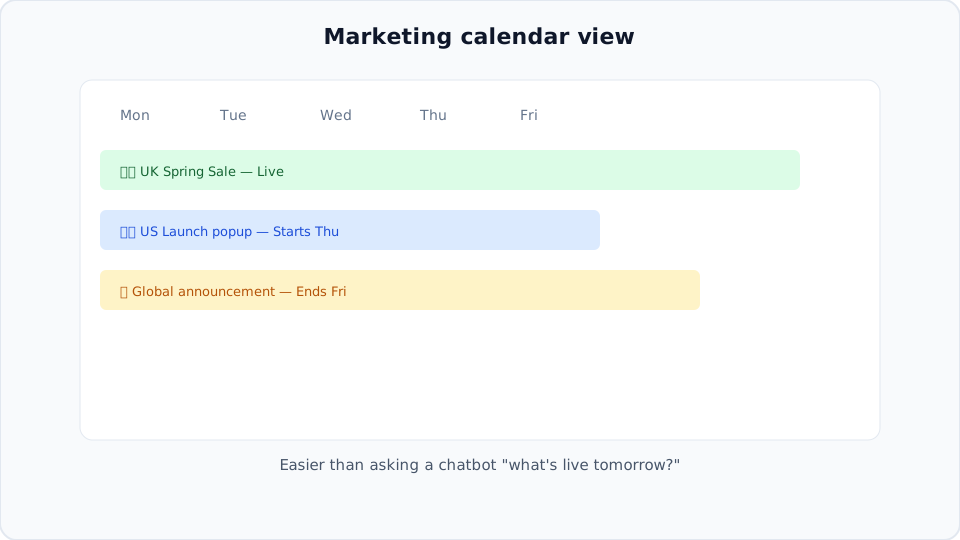
Which campaigns are active on your site right now—announcement bars, popups, geo variants.
Upcoming
A time-ordered view of scheduled launches. No more calendar spreadsheets parallel to the CMS.
History & analytics
Impressions and clicks per campaign. Enough signal to decide what to run again.
Preview
Links that show how creative renders on the real site before go-live—so launch day isn't a surprise.
AI + dashboard: better together
We're bullish on Framer AI and MCP. In the future you might prompt: "Create a UK-only promo bar for next Friday using BannerFlex."
The agent configures the campaign; BannerFlex remains the system of record—schedules, geo rules, analytics, and approvals. AI accelerates setup; the dashboard keeps you honest at scale.
When a chatbot isn't enough
| Task | Chat | Dashboard |
|---|---|---|
| One-off copy tweak | ✓ | ✓ |
| See all upcoming promos | ✗ | ✓ |
| Per-country rules | Awkward | ✓ |
| Click-through rates | ✗ | ✓ |
| Hand off to non-technical teammate | Risky | ✓ |
Getting started
- Install BannerFlex on your Framer project
- Create your first scheduled campaign
- Add a second geo variant
- Review both on the dashboard calendar mental model—live vs upcoming
Next steps
Your Framer site deserves an operating system for campaigns—not just a design tool.