Live Preview Links: Stop Guessing What Your Banner Will Look Like on Launch Day
Preview Framer banners on your real site before go-live. BannerFlex live preview links prevent launch-day creative surprises for announcement bars and popups.
TL;DR
Upload banner content in BannerFlex, open a preview link, and see exactly how it renders on your Framer site—before the schedule starts. No more launch-day layout shocks or last-minute panic publishes.
Introduction
The worst moment in a campaign launch isn't low traffic—it's when the bar goes live and looks wrong.
Font sizes clash. Mobile creative overflows. The CTA sits under the nav. Marketing thought they approved one thing; the live site shows another.
Live preview links exist to kill that gap between dashboard intent and visitor reality.
Why preview matters for conversion
Every broken banner costs clicks:
- Truncated headlines reduce clarity
- Low-contrast CTAs don't get tapped
- Popups that cover key content increase bounce
Previewing on the actual Framer site (not a screenshot mock) catches issues that design-only review misses.
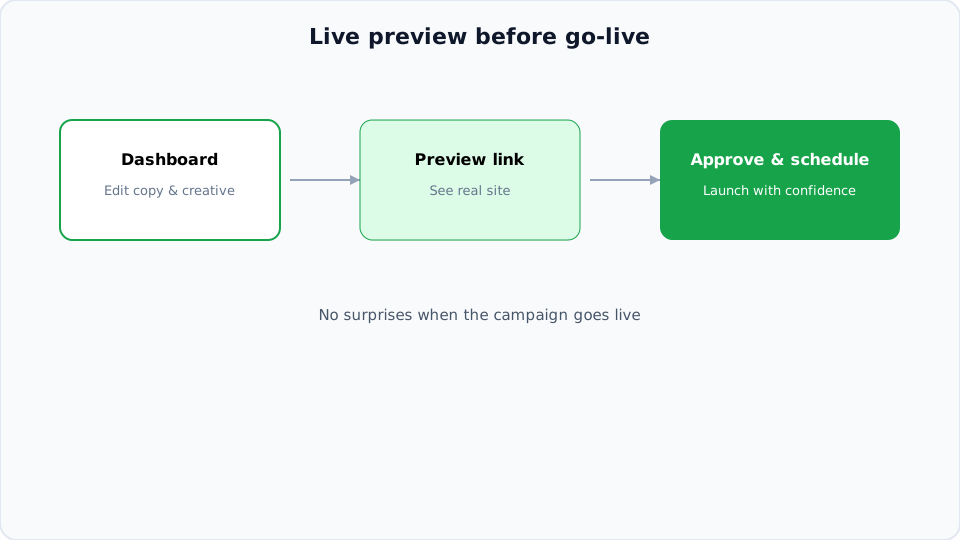
How to use preview in your workflow
1. Build creative in Framer
Design announcement bar or popup components as usual—desktop and mobile variants.
2. Configure campaign in BannerFlex
Set copy, links, schedule, and geo rules in the dashboard.
3. Generate preview
Open the preview URL (or share with stakeholders). The campaign renders against your live layout without affecting all visitors—or only for preview mode depending on setup.
4. Approve → schedule
Once visual sign-off is done, enable the schedule. Launch day becomes execution, not firefighting.
Who should see preview links?
- Marketing lead — copy and CTA approval
- Designer — spacing and brand check
- Founder — final sign-off on high-stakes promos
Share a link instead of exporting PNGs that drift from reality.
Pair preview with scheduling
Preview is step one of a reliable pipeline:
- Preview creative
- Set start/end dates
- Monitor analytics after go-live
- A/B test next iteration from learnings
Common preview checklist
- Desktop and mobile both checked
- CTA link goes to correct destination
- Bar doesn't overlap fixed navigation
- Geo variant previewed for each market
- End date set so preview doesn't become accidental production
Next steps
Launch with confidence—not surprises.